

HTML iframe 요소
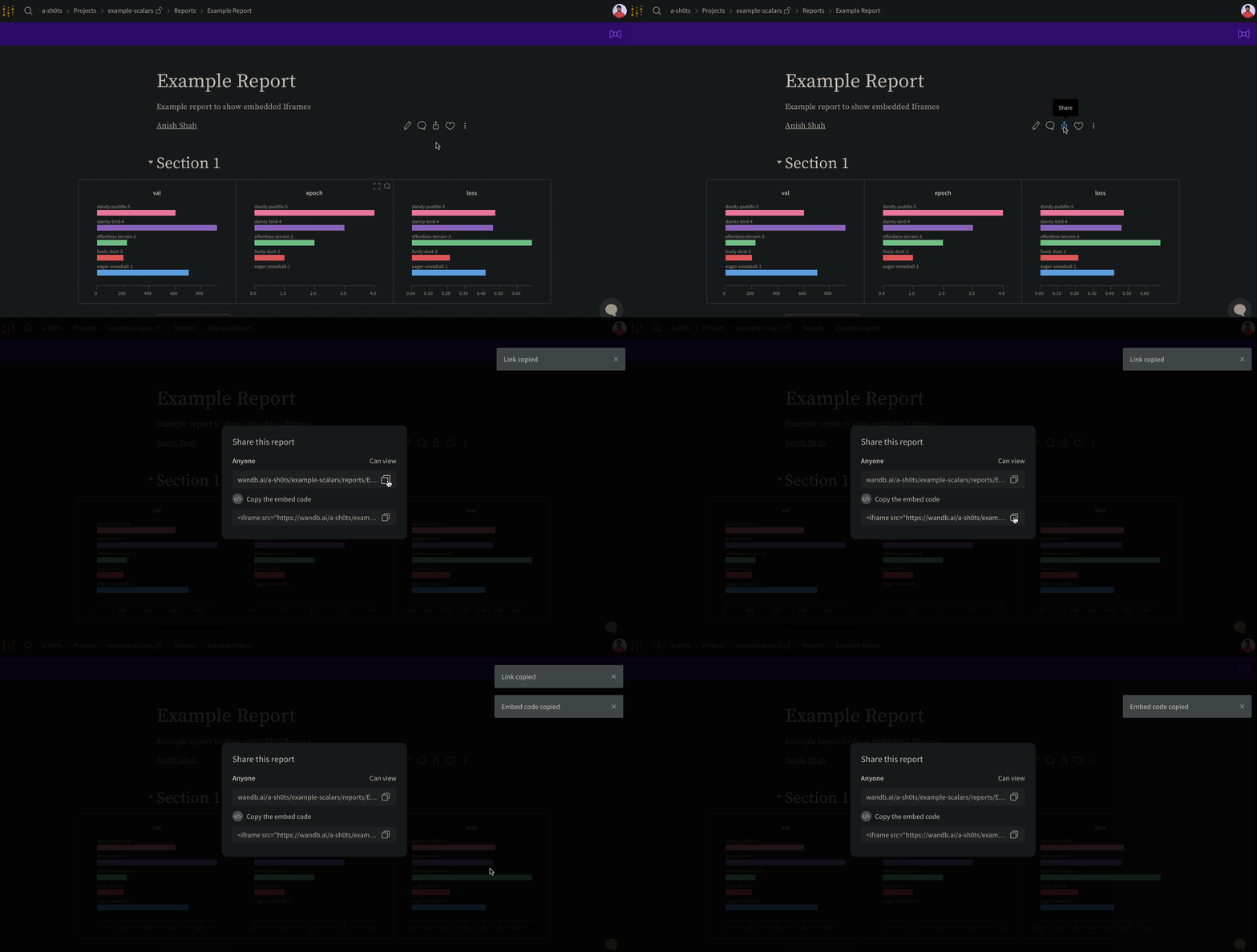
Reports 우측 상단에 있는 Share 버튼을 선택하세요. 모달 창이 나타납니다. 모달 창 내에서 Copy embed code를 선택하세요. 복사된 코드는 HTML Inline Frame (IFrame) 요소 내에서 렌더링됩니다. 복사한 코드를 원하는 iframe HTML 요소에 붙여넣으세요.임베드 시에는 공개(public) 설정된 Reports만 볼 수 있습니다.
Confluence
다음 애니메이션은 Confluence의 IFrame 셀 내에 리포트의 직접 링크를 삽입하는 방법을 보여줍니다.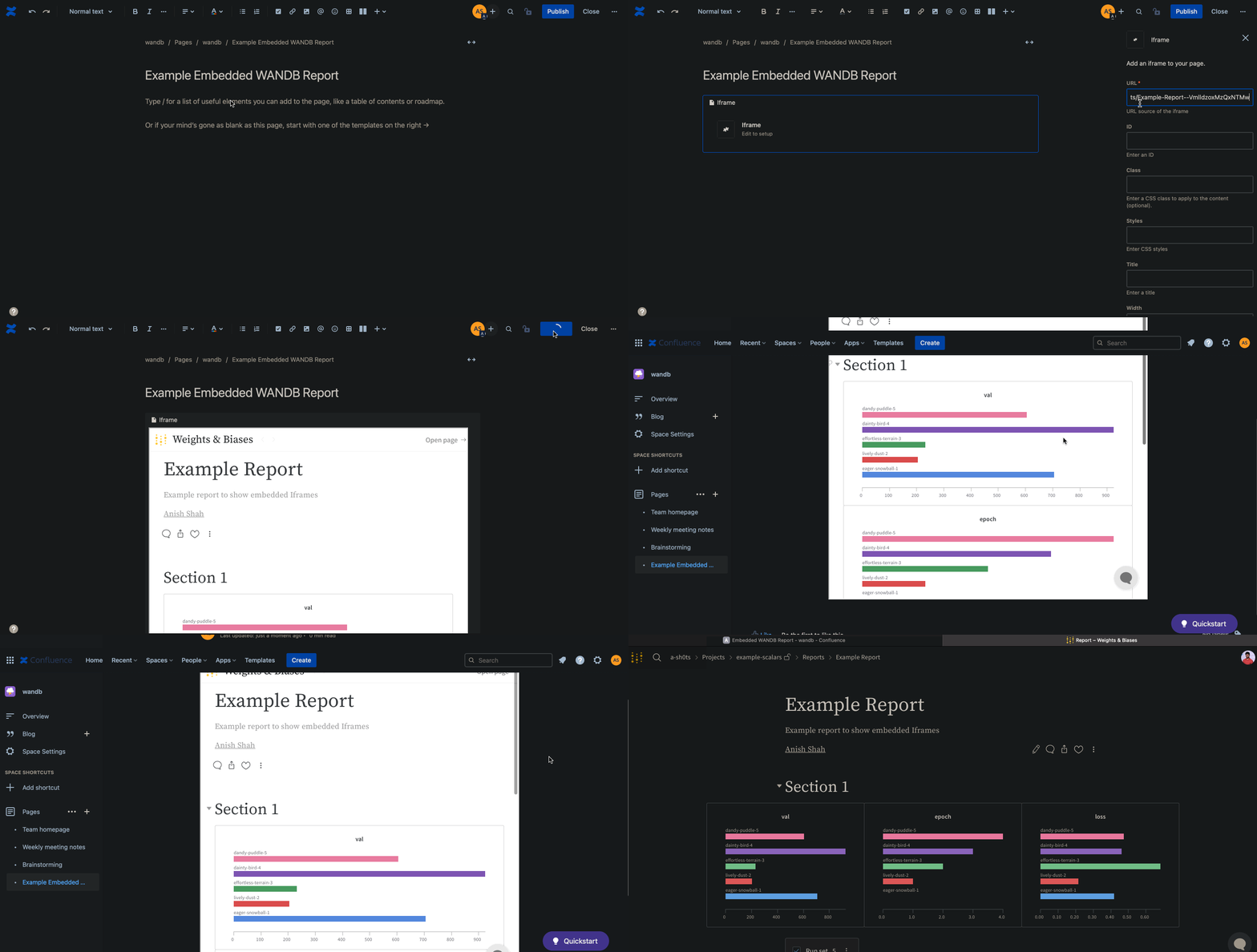
Notion
다음 애니메이션은 Notion의 Embed 블록과 리포트의 임베드 코드를 사용하여 Notion 문서에 리포트를 삽입하는 방법을 보여줍니다.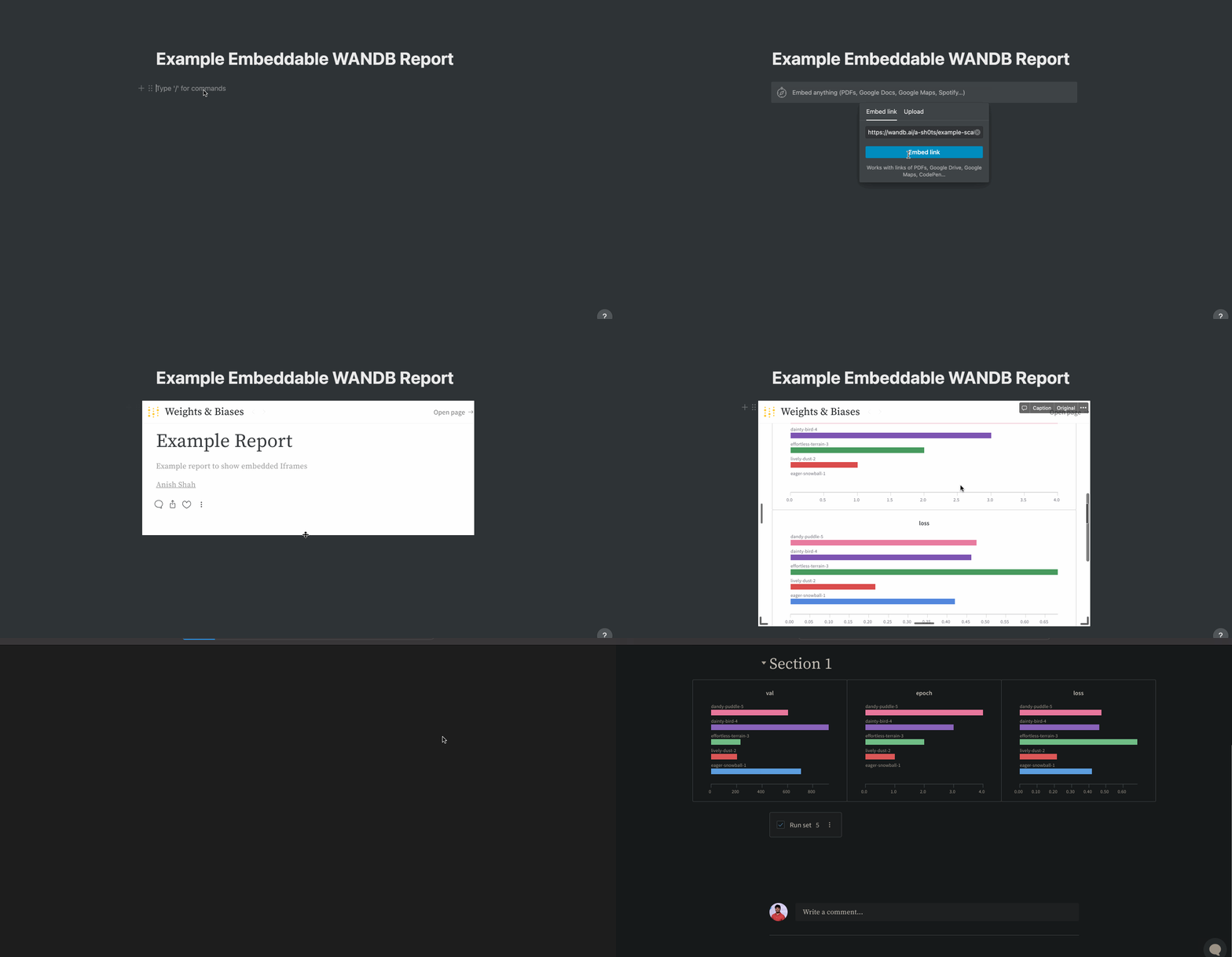
Gradio
gr.HTML 요소를 사용하여 Gradio 앱 내에 W&B Reports 를 임베드하고 Hugging Face Spaces에서 사용할 수 있습니다.